Business Objects - Attributes
reviewed: 5 November 2025
Status Attribute
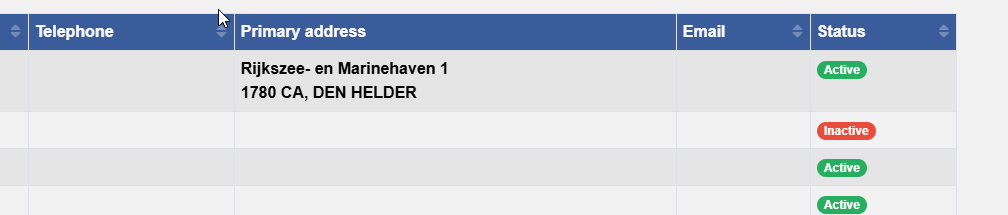
A RAG (Red-Amber-Green) status field.
- A regular
statusattribute with a number of options - A dynamic attribute
_statusthat shows the status as a badge - Assumes your application makes use of the base layer
    // The regular status attribute
    status: <@bo/attribute
        label: <@mlText 'Status' >
        column: 'status'
        dataType: datatype.Long
        length: 9
        options: <
            < value: 1 label: <@mltext 'Active' > >
            < value: 2 label: <@mltext 'Inactive' > >
        >
        defaultValue: 1
        optional: false()
    >

    // The dynamic attribute
    _status: <@bo/attribute/dynamic
        label: <@mlText 'Status'>
        ensureLoadGroup: 'status'
        sortAttr: 'status'
        dynamicValue: $script.call(
            'base/helpers:generateStatusBadge',
            bo.attr( [_me], 'status' ),
            bo.attrFormatted( [_me], 'status' ),
            <
                1: 'success'
                2: 'danger'
            >
        )
        plainTextAttr: 'status'
        htmlSafe: true()
    >
- Make sure the dynamic attribute ensures that
statusis being loaded before_statusis being evaluated - Sorting on the
_statuscolumn is the same as sorting bystatus - Use the helper function
generateStatusBadgein thebase/helperslibrary which simply translates a value into a Bootstrap badge class
UL Attribute
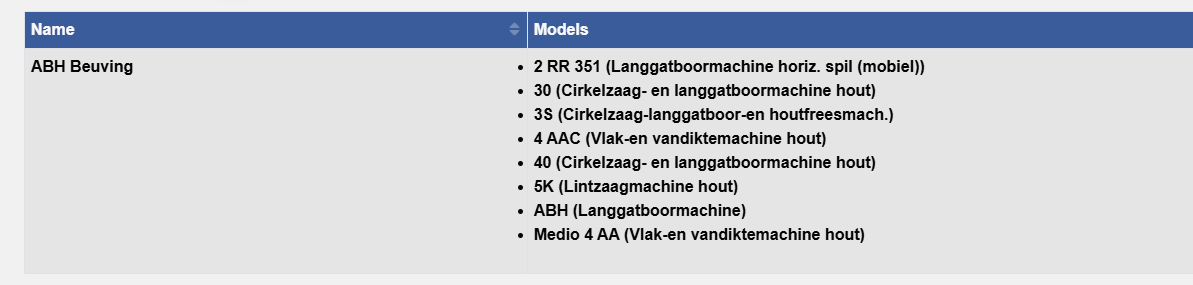
A field showing an unordered list of items.
- An entity with a foreign key (directly or indirectly) to this entity
- A dynamic attribute
_listthat shows an unordered list - A dynamic attribute
_listPlainTextthat is used for export purposes - Assumes your application makes use of the base layer
    _list_: <@bo/attribute/dynamic
        label: <@mlText 'Models'>
        dynamicValue: $script.call(
            'base/helpers:ul',
            entity: 'rd/model',
            where: 'make={ bo.pk( [~/_me] ) }',
            label: 'label',
            load: '*',
            maxItems: 10,
            plainText:false()
        )
        htmlSafe: true()
        plainTextAttr: '_listPlainText'
    >
    _listPlainText: <@bo/attribute/dynamic
        label: <@mlText 'Models'>
        dynamicValue: $script.call(
            'base/helpers:ul',
            entity: 'rd/model',
            where: 'make={ bo.pk( [~/_me] ) }',
            label: 'label',
            load: '*',
            maxItems: 10,
            plainText:true()
        )
    >
Notes:
- Make sure the dynamic attribute ensures that
statusis being loaded before_statusis being evaluated - Use the helper function
ulin thebase/helperslibrary to generate a 'ul' (or thge plain text alternative)
View Document Attribute
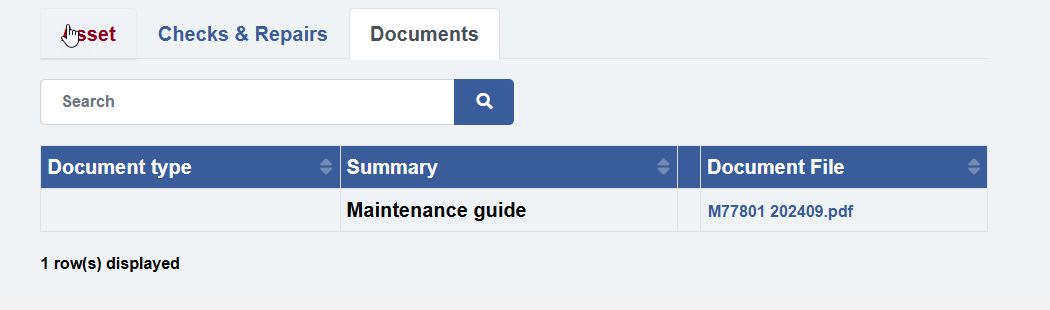
A field showing the click-able file name of a document attribute, click to view the document. Can also be used as column in a list
- An attribute that is a foreign key to
document - A dynamic attribute
_documentViewthat renders as a click-able file name
    _documentView: <@bo/attribute/dynamic
        label: <@base/mlText 'Document File'>
        ensureLoadGroup: 'documentFile'
        sortAttr: 'documentFile'
        htmlSafe: true(),
        dynamicValue: $if(
            isNull( bo.attr( [_me], 'documentFile' ) ),
            null(),
            page.generate(
                <@page/button/view
                    class: 'p-0 btn-link'
                    pk: bo.attr( [_me], 'documentFile' )
                    label: bo.attr( [_me], 'documentFile->originalFilename' )
                    tooltip: <@page/tooltip label: <@base/mlText 'Click to view'> >
                    attributes: <@page/html/attributes
                        onmouseup: 'event.stopPropagation();'
                    >
                    target: <@page/link/target/modal
                        title: bo.attrFormatted( [_me], 'documentFile' )
                        size: 'xxl'
                    >
                >
            )
        )
    >
Notes:
- Opens the document in a modal window, consider
taborwindowas target as alternative
Extra Height Memo Field
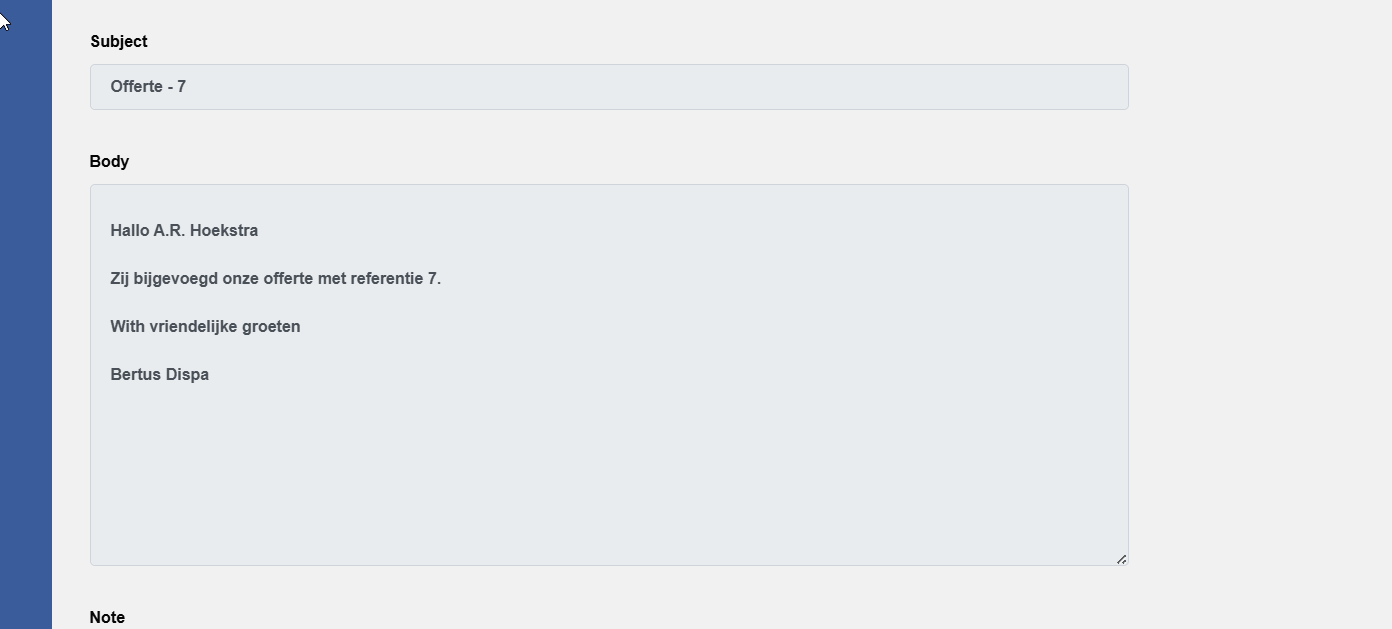
Control the height on screen for a memo field.
    body: <@bo/attribute/memo
        label: $getTranslation('interaction/body')
        column: 'body'
        enhancers: <@bo/attribute/property/enhancers
            multiLineRows: 15
        >
    >
Formatted Timestamp
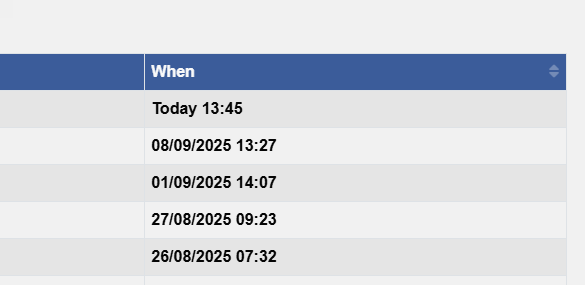
Use the formatTimestamp helper function to format a timestamp as human readable string.
    _when: <@bo/attribute/dynamic
        label: <@base/mlText 'When' >,
        sortAttr: 'cmCreatedWhen'
        ensureLoadGroup: 'cmCreatedWhen'
        dynamicValue: $script.call( 'base/helpers:formatTimestamp', bo.attr( [_me], 'cmCreatedWhen' ) )
    >
Note that this function is part of the Base layer.
Control the Display Size of Attributes
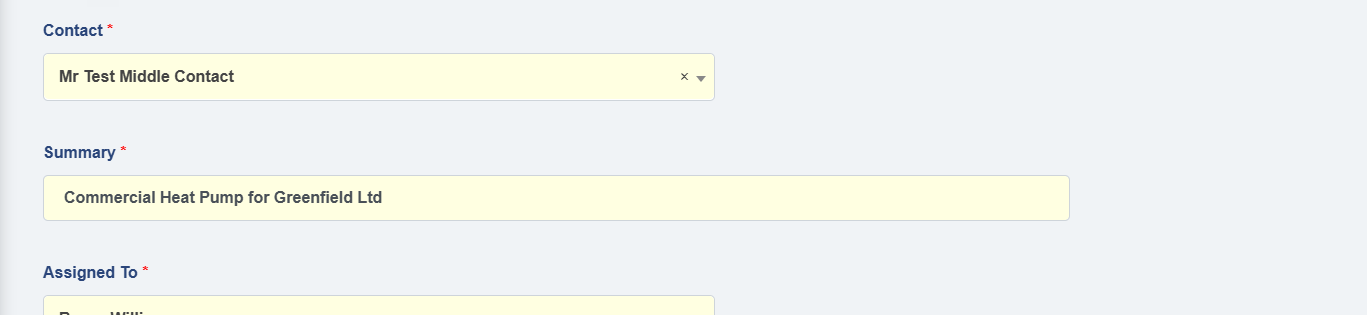
Use the formatTimestamp helper function to format a timestamp as human readable string.
    summary: <@bo/attribute
        label: <@mlText 'Summary'>
        column: 'title'
        dataType: dataType.String
        length: 255
        optional: false()
        displaySize: <@bo/attribute/property/displaySize/lg>
    >
Note that the Base layer offers a number of additional display sizes.
Useful Output Masks for Numeric Attributes
| Output Mask | Example |
|---|---|
#,0.#### |
12 |
| 12.8 | |
| 12,000,123.8009 | |
0.00 |
12.00 |
| 1200.01 | |
currency |
£12,200.12 |
| £12.80 | |
| £12.00 | |
#,#.## |
(0 formats as an empty string) |
| 1 | |
| 1,200.1 |
    weight: <@bo/attribute
        label: <@mltext 'Weight'>
        column: 'weight'
        datatype: datatype.Decimal
        length: 15
        precision: 4
        outputMask: '#,0.####'
    >
Useful Output Masks for Date Attributes
| Output Mask | Example |
|---|---|
ddMMMyyyy |
27Oct2025 |
dddd |
Monday |
MMMM |
October |
HH:mm:ss.ffff |
14:01:07.8640 |
    orderDate: <@bo/attribute/date
        label: <@mltext 'Order date'>
        column: 'orderDate'
        outputMask: 'ddMMMyyyy'
    >
cmCreatedWhen as Virtual Date Column
This trick casts the cmCreated column as a date. The benefit of doing it like this over using a dynamic value is that you can include this column in where clauses and can search by this column.
    cmCreatedWhenDate: <@bo/attribute/date
        label: <@mltext 'Created when'>
        column: 'cast( cmcreatedwhen as date )'
        virtualColumn: true()
    >
bo.count( 'om/order', 'cmCreatedWhenDate>={ today() }' )
Note: this only works for SQL Server databases, other databases may use a different syntax.
Alert attribute
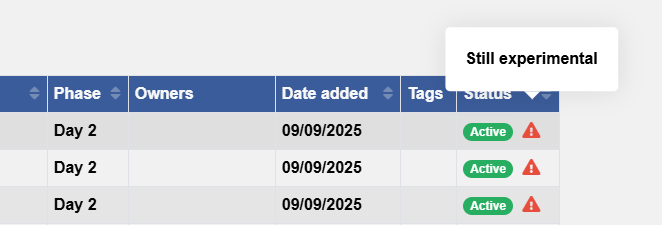
User can set an alert and a visual can be displayed when an alert has been set. When you hover over the alert icon, the alert itself is displayed as a tooltip.
- The alert text field
- A dynamic attribute that shows a warning sign when an alert has been set
The alert attribute:
    alert: <@bo/attribute
        label: <@mlText 'Alert'>
        column: 'alert'
        datatype: datatype.String
        length: 100
    >
The status attribute including the alert logic:
_status: <@bo/attribute/dynamic
label: <@mlText 'Status'>
ensureLoadGroup: 'status,alert'
sortAttr: 'status'
dynamicValue: $buildString(
' ',
script.call(
'base/helpers:generateStatusBadge',
bo.attr( [_me], 'status' ),
bo.attrFormatted( [_me], 'status' ),
<
1: 'success'
2: 'danger'
3: 'warning'
4: 'info'
5: 'secondary'
6: 'success'
>
),
if(
isNotNull( bo.attr( [_me], 'alert' ) ),
page.generate(
<@page/span
content: <@page/tooltip
label: page.htmlEncode( bo.attr( [_me], 'alert' ) )
content: <@page/icon name: 'exclamation-triangle' class: 'text-danger'>
>
>
),
null()
),
)
plainTextAttr: '_statusTextOnly'
htmlSafe: true()
>
Notes:
- The example above makes use of the base layer for the
base/helpers:generateStatusBadgefunction. The alert part of the_statusfunction works with the core runtime
Enhance an Attribute to Show a Post Button
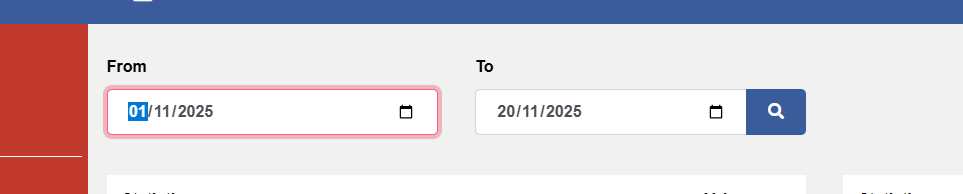
Shows a button snug next to a field.
    boDesc.setAttrEnhancer(
        [filter],
        'to',
        'appendInput',
        <@page/input/group/append
            content: <@page/button/submit
                class: 'btn-primary border-0',
                label: <@page/icon class: 'fa-fw', name: 'search'>
            >
        >
    )
Thumbnails
Shows a button snug next to a field.
    // Attribute that is an image document
    image: <@bo/attribute/document
        label: <@mlText 'Image'>
        column: 'image',
        documentType: 'IMAGE'
        foreignKeyLabelGroup: 'originalFilename'
    >
    // The thumbnail
    _thumbnail: <@bo/attribute/dynamic
        ensureLoadGroup: 'image'
        sortAttr: 'image'
        dynamicValue: $script.call( 'helpers:thumbnail', bo.attr( [_me], 'image' ) )
        htmlSafe: true()
    >


    // Function to generate thumbnail in script:helpers.cms
    function thumbnail( image )

        if isNull( [image] )
            return null()
        else
            set( 'file', bo.quickLoad( 'document', [image] ) )

            if in( fileSystem.fileExtension( document.filePath( [file] ) ), '.jpg', '.gif', '.png', '.jpeg', '.svg' )
                set( 'sb', sb.create() )

                qualifier.invoke(
                    <@page/image
                        class: 'thumbnail'
                        src: <@url
                            address: script.call( 'web/router/service:resolveUrl', concat( 'document/view/f/', bo.attr( [file], 'fileName') ) )
                            untrustedQs: < context: encrypt( [image] ) >
                            persistQs: false()
                        >
                    >,
                    [sb]
                )

                return sb.get([sb])

            else
                return null()
            end-if

        end-if

    end-function